
In this guide
Software for small businesses is usually lost at the install, not at the demo.
The demo goes well. Everyone agrees it is better than the notebook. Then a file is downloaded onto the till, and the restaurant is asked to create an account, verify an email, name their venue, pick a currency, add their first category, add their first item, set a tax rate, and lay out their tables, on a Tuesday afternoon, on a machine by the kitchen door, by a manager who is also running a lunch service.
Three items get typed in. The rest never does. Six weeks later the notebook is still on the counter and the software is a folder icon nobody clicks.
Move the setup to before the handover
Our answer is not a better onboarding wizard. It is not having one.
Before anything is installed, we take four things from the restaurant:
- The menu. Categories, items, prices, Bangla names where they want them, sizes, prep times, and which station cooks what. A photograph of the printed menu is a perfectly good starting point, and usually is one.
- The floor. Sections and tables with their seating. Skipped entirely if they only do takeaway and delivery.
- The staff. Who gets a login, and what each of them is allowed to do.
- The paperwork. Restaurant name as it should print on an invoice, phone, address, VAT registration number if they have one.
That goes into a file we hold. From it we build an installer that already contains that restaurant, their menu, their floor plan, their people, their tax setup.
What arrives at the venue is one file. Running it produces a working till, for that restaurant, with their food in it. First launch creates its own database and it is ready to sell. There is no account to create and no first item to add, because the first item is already there.
What this actually changes
It changes who is doing the boring part, and when.
Menu entry is an hour of careful typing. It is not hard, but it is exactly the kind of work that gets started and abandoned, and the abandonment is invisible , the software still opens, it just has nothing in it. Doing it on our side means it is done by someone whose job that is, before the restaurant has spent any goodwill on the product.
It also means the first thing the restaurant does with the software is sell something. That is a much better first impression than a form.
And it moves the questions earlier. Half the useful conversation about a restaurant's operation happens while entering their menu: this item has two sizes and one price, these three go to the tandoor and not the grill, this platter is really four items that print as one. Every one of those is better discovered by us in advance than by a cashier in the middle of a rush.
The trade we accepted
This is more work per customer, and it does not scale the way self service does. There is no version of this where a restaurant finds us at midnight, signs up, and is selling by morning without us being involved.
We took that trade deliberately. The market is restaurants with one or two tills, in a city where a support call is a WhatsApp message and often a visit. Self service onboarding optimises for a volume of signups that this market does not have, at the cost of the thing it does have, a small number of customers who need the software to work on day one.
If that changes, the setup we do by hand is the same data the software already reads, so the wizard we did not build is still available to be built. We just have not needed it, and a feature you have not needed is one you have not had to maintain.
Adding a second till
Worth saying, because it is the other place these products get complicated.
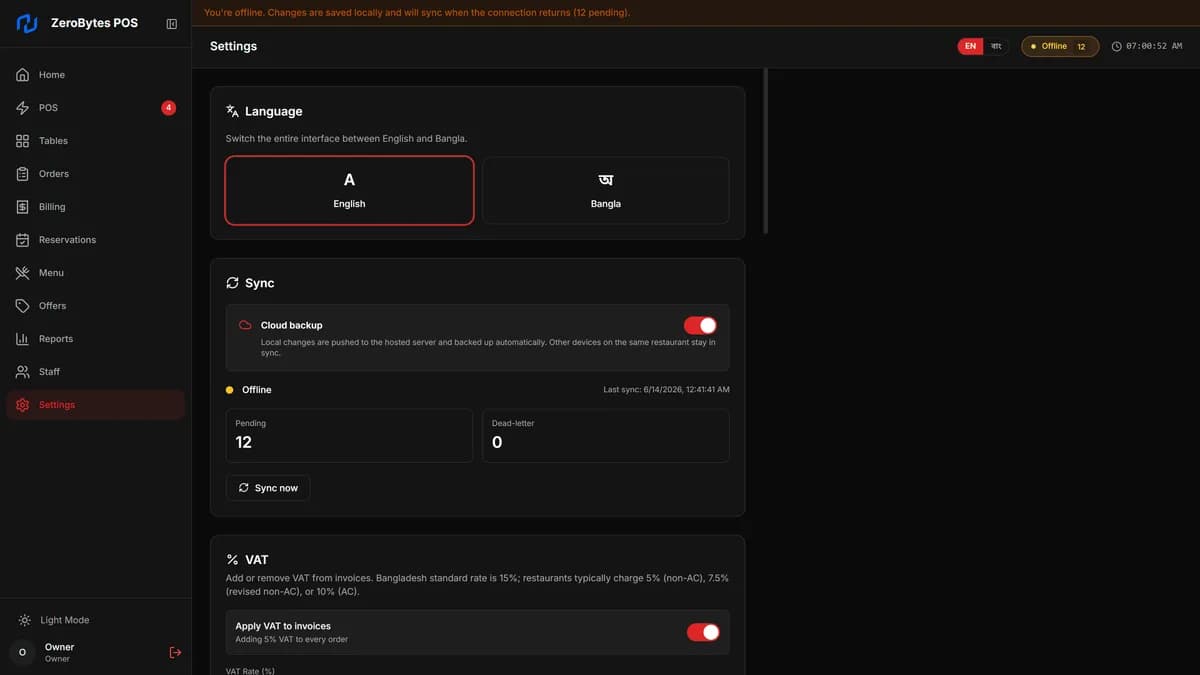
A second terminal is the same file, run on the second machine. It comes up with the same menu and the same floor, and once cloud backup is switched on the two find each other through the server rather than through each other. No pairing step, no master and replica, no configuration on the shop floor.
Turn backup off and the restaurant's data never leaves the building. That is also a supported way to run, and some of them do.
Want this till in your restaurant?
ZeroBytes POS arrives as one installer with your menu, floor and staff already inside it. See the product, or ask about it on WhatsApp.